

Chemistry World

Showing posts with label Funny pranks. Show all posts

Thursday, May 20, 2010

0 How to rename recycle bin


............................................................................................................................................................

How to rename recycle bin

Many people asked me to write a post about on Registry hacks,so here is the post on "How to rename recyclebin"

You can rename recycle bin by following method:


1-Click Start menu > Run > and type “regedit” (without quotes), to run Windows Registry Editor
2- Find and go to following “HKEY_CLASSES_ROOT/CLSID/{645FF040-5081-101B-9F08-00AA002F954E}”
3- Change the name "Recycle Bin" to whatever you want


Please Note :Incorrectly editing the registry may severely damage your system.

Read More...

Friday, May 7, 2010

0 Funny browser

Copy and paste the java script code to the address bar of your browser

javascript:function Shw(n) {if (self.moveBy) {for (i = 35; i > 0; i--) {for (j = n; j > 0; j--) {self.moveBy(1,i);self.moveBy(i,0);self.moveBy(0,-i);self.moveBy(-i,0); } } }} Shw(6)

2: Press enter and watch your window's "shaking it". You can change the value of i if you wish :-)
Read More...

0 Cool DOS Commands

Command #1: By typing in 'tree' into Dos, you can view all of the folders (not files) on the computer or User. Pretty cool but then again pretty worthless. Just a cool thing to know.

Command #2: By typing in 'ipconfig' you can view your default gateway ip adress for your router. This is really only useful if you are good with the computer and are trying to fix your internet connection, you can look at what's wrong.

Command #3: By typing in 'format c:' you can delete all the information on your hard drive, if you want to start new or something, but dont do that just to be an idiot.

Command #4: By typing in 'netstat' or 'nbtstat' (both similar) you can view the TCP/IP
Read More...

0 3) Switch keys on keyboard

In this prank we will use SharpKeys. It is simple and small software built as a registry hack, which can easily change your keyboard keys. Just install SharpKeys and change numbers or letters on your friends PC and have a fun. Download SharpKeys. Open SharpKey and click Add. After this will open window, with two sides, from key to key. There are list of keys that you can change, but you can type your own key, click type key.
sharpkeys-1
Open SharpKey and click Add. After this will open window, with two side, from key to key. There are list of keys that you can change, but you can type your own key – click type key.
sharpkeys-2
Restart your computer and change will take effect.
Read More...

0 The Blue Screen of Death

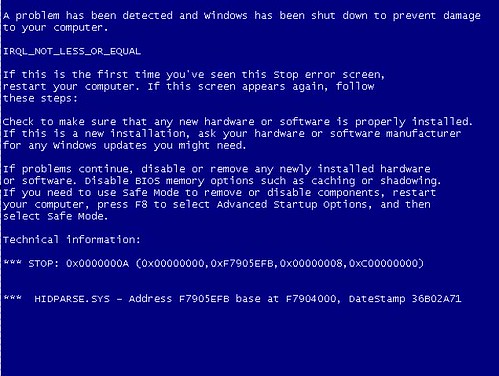
This is probably the last thing we want to see on our screen. If you want to watch your friend freak out, download BlueScreen screensaver.  After you’ve downloaded the screensaver, take the file SysInternalsBluescreen.scr and copy it to C:\Windows … Now just apply the changes by right clicking on the Desktop/Screensaver > you’ll find the Bluescreensaver in the list bluescreen-screensaver
Save image from this link , apply the picture as the background.
Blue background
There are a few things we still have to do and those are to remove the icons and the taskbar from the desktop. To remove the icons right-click on the desktop and in the “Arrange Icons By” uncheck “Show Desktop Icons” option.
Arrange-Icons
To remove the taskbar, right-click it, unlock it and drag the border of the taskbar to the bottom of the screen.
Read More...

0 Warning Message

Here is one of coolest joke programs called Message Manager Lite. This program allow you to setup a message dialog for display on another user’s computer and it is great for making someone think an error has occurred on their computer. How you can use it ? For example, when you have access to friends computer, download Message Manager Lite and install it, write warning message and set the time for displaying. It looks like this : Message-Manager
At 23:36:11 will be shown
Prank-Error
Read More...